Table of Contents
This section provides step-by-step instructions on how to set up a Dynamic Project.
Create Project
Perform the following steps to create a Dynamic project.
| Step | Action |
|---|---|
|
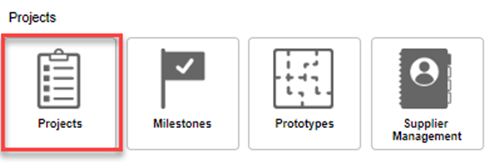
On the Functional Dashboard, select the Projects tab.
|
|
|
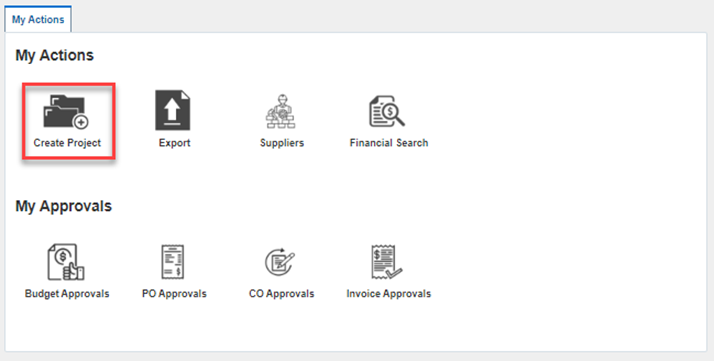
Click on Create Project from My Actions on the Create Project landing page.
|
|
|
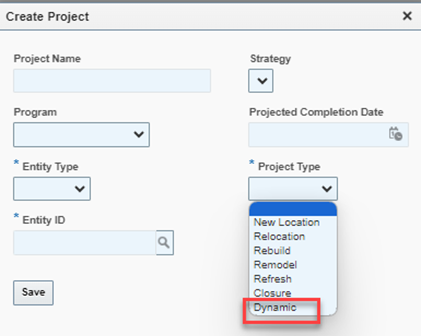
Select Dynamic from the Project Type dropdown menu.
|
|
| Click on Save. |
GENERATE PROJECT Scope
Perform the following steps to generate a project scope.
| Step | Action |
|---|---|
|
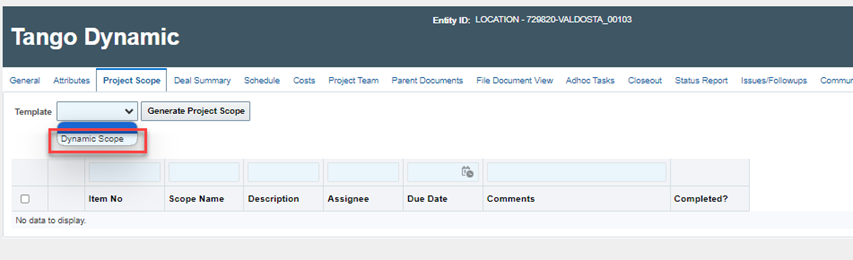
Click on the Project Scope tab of the dynamic project. For Template type, select Dynamic Scope and then click on Generate Project Scope.
|
|
|
You can fill in the fields for your Project Scope.
Note: This is a single line scope template and allows the user to use the “Add Scope” button to manually create additional scope. |

Schedule:
Perform the following to generate a milestone schedule.
| Step | Action |
|---|---|
|
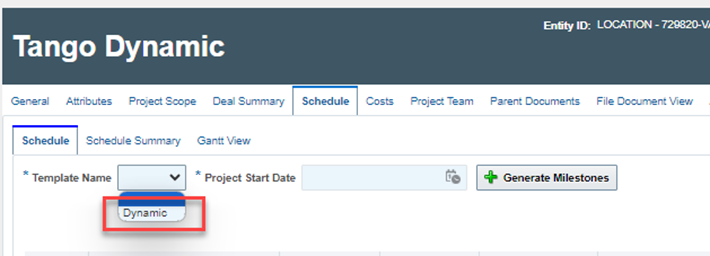
Click on the Schedule tab of the project. Select “Dynamic” as the template type, enter the project start date, and click on Generate Milestone.
NOTE: The Dynamic template has only one milestone called ‘Start’ which will receive the project start date by default. |
|
|
The following dialog box is displayed. You can now edit the fields for the milestones.
|
|
|
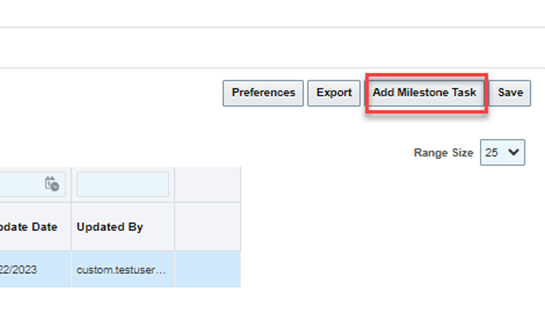
You can manually add a milestone by clicking the Add Milestone Task button.
|
|
|
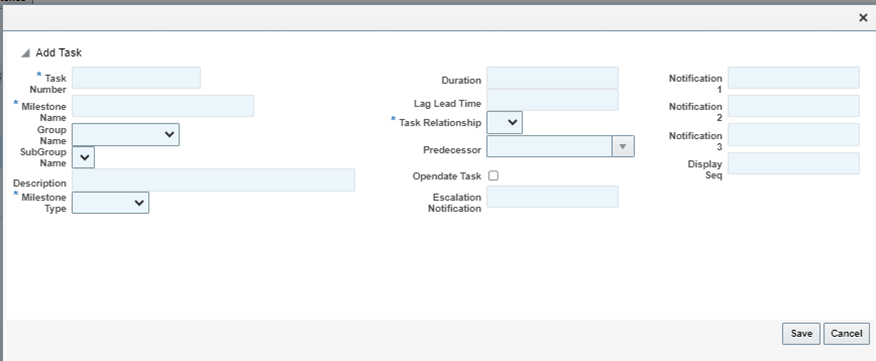
The Add Milestone Task dialog is displayed. Use this dialog to add details to a new Milestone Task and click Save when finished.
|

Costs and budget
Perform the following to add Cost details.
| Step | Action |
|---|---|
|
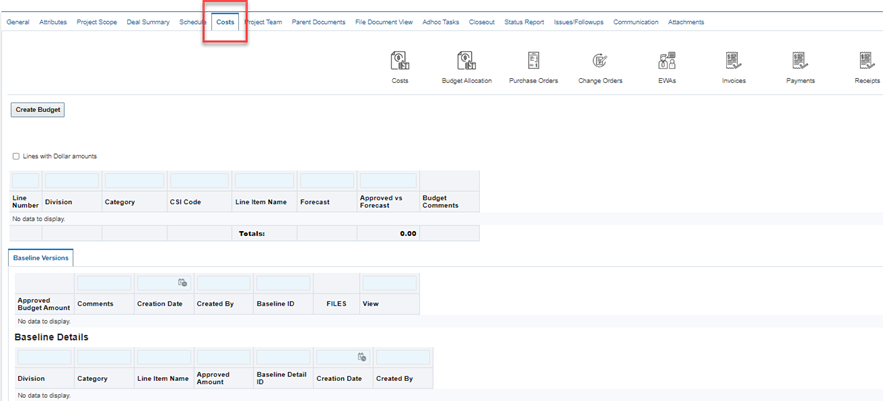
Click on the Cost tab of the project.
|
|
|
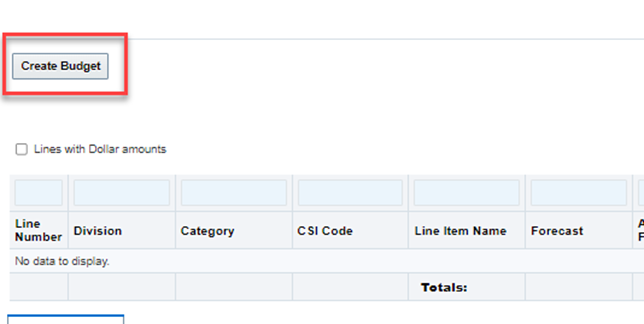
Click on the Create Budget Button
|
|
|
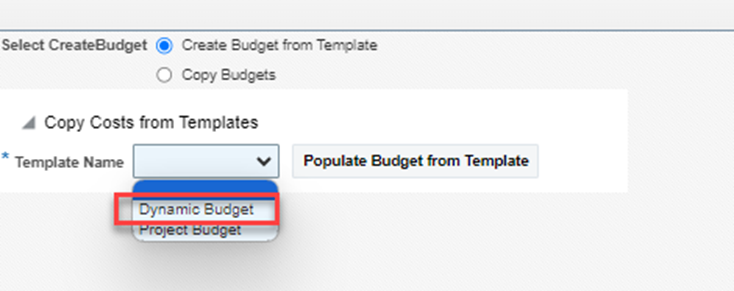
On the Create Budget page, select Dynamic Budget from the Template dropdown.
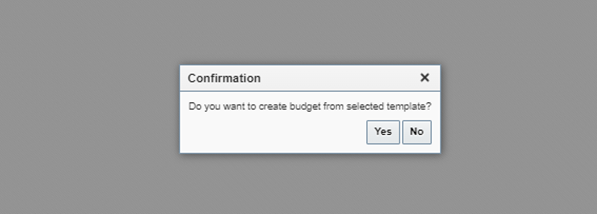
The Confirmation page will be displayed.
|
|
|
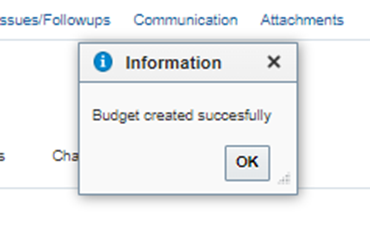
You will receive a Budget created successfully message.
This is a single line budget that can be edited in the UI |
Documents
On the Documents tab, use the edit/delete/add buttons to create the folder structure as needed for the project.
Punch List
Perform the following to add a Punch List.
| Step | Action |
|---|---|
|
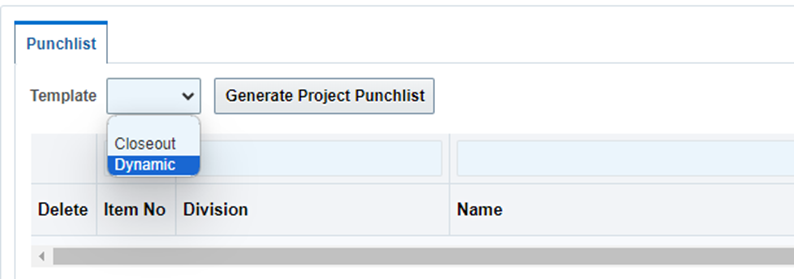
Click on the Punch List tab of the project and choose Dynamic from the drop-down menu under Template and then click on the Generate Project Punchlist button.
|
|
|
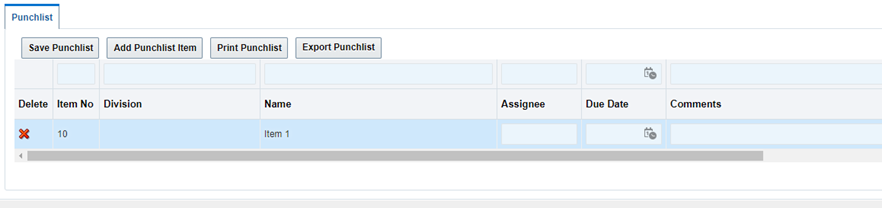
The Project Punchlist is created as a single line template. This new Project Punchlist has one item named Item 1 by default. You can now create additional items for the punch list.
|
(INTERNAL) Configuration requirements FOR INTERNAL USE ONLY:
-
Project Type = “Dynamic Project”
The “Dynamic Project” project type should be associated to the “Dynamic” milestone template.
-
Templates
-
Scope Template = “Dynamic”
-
The “Dynamic” scope template is a single line template.
The one line can say “Item 1”.
-
-
Schedule/milestone Template = “Dynamic”
The “Dynamic" schedule template contains one milestone, ‘Start’, this is the key milestone for recalculating and takes the start date entered when generating the schedule.
This template should be forward calculation.
-
-
Cost/Budget Template = “Dynamic
-
The “Dynamic” budget should be a single-line budget.
The one line can say “Line 1”.
-
-
Punch List Template = “Dynamic”.
-
The “Dynamic” punch list template is a single-line template.
The one line can say “Item 1”.
-
-
Additional Labels to allow manual manipulation.
-
Scope
TMCPROJECTPG_SCOPE_ADD
-
Schedule
TMCPROJECTPG_SCHEDULE_SAVE
TMCPROJECTPG_SCHEDULE_ADDMILESTONETASK
-
Budget
TMCPROJECTPG_BUDGET_ADDTASK
TMCPROJECTPG_BUDGET_DELETE
TMCPROJECTPG_BUDGET_SAVE
-
Documents
TMCSITEPG_S3DOCUMENTS_DOCUMENTS_ADD
TMCSITEPG_S3DOCUMENTS_DOCUMENTS_NEWADDMULTIPLE
TMCSITEPG_S3DOCUMENTS_DOCUMENTS_DELETEDOCS
TMCSITEPG_S3DOCUMENTS_DOCUMENTS_DELETEFOLDER
TMCSITEPG_S3DOCUMENTS_DOCUMENTS_EDITSELECTED
-
Punchlist
TMCPROJECTPG_PUNCHLIST_ADD
TMCPROJECTPG_PUNCHLIST_DELETE
TMCPROJECTPG_PUNCHLIST_SAVE
-
-
Enterprise Security Role
“No Template”
Was this article helpful?
That’s Great!
Thank you for your feedback
Sorry! We couldn't be helpful
Thank you for your feedback
Feedback sent
We appreciate your effort and will try to fix the article