LOCATIONS
This tile displays a list of all locations in the system. Locations can include restaurants, retail, or warehouses.
| 1. |
|
| 2. | Click Search on the locations search page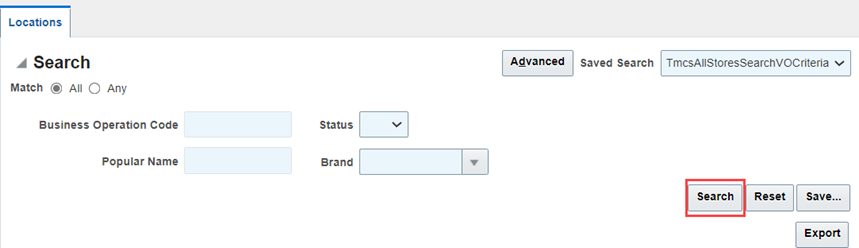
|
| 3. | Click View or Edit icon as applicable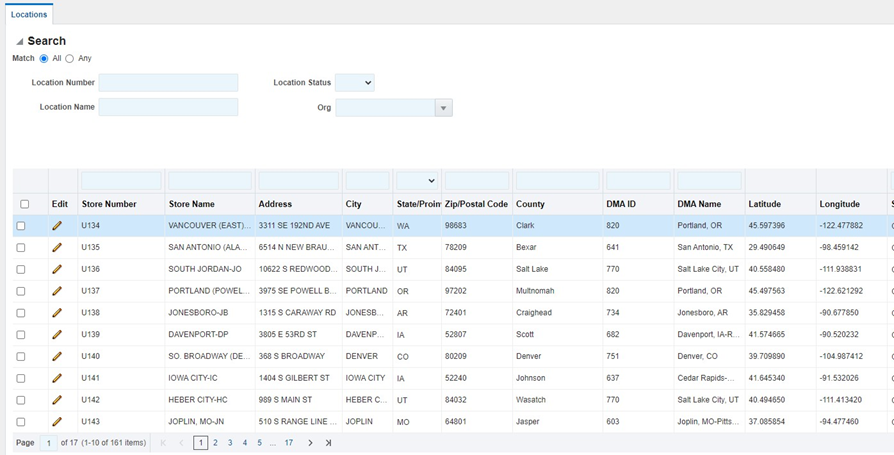
|
The location record will open with tabs across the top for different information. Available tabs may include but are not limited to:
General - This tab has general location information about the store such as address, latitude, and longitude.
Attributes - Various attributes about the Store are in the Attributes tab. Key information is the Location Status. If a store is closed the Status can be changed to “Closed”. Other data such as key dates and area are maintained here.
Demographics - This tab lists the demographic variables for the Store.
Financials
Financial History
Sales
Lease (listed twice but different pages/functionality)
Questionnaire - In edit mode you can create one by clicking the Create Questionnaire button.
Reporting - Select this tab to run the Sales Recapture Report. Note: this report will only function on Brands and Countries where a Sales Forecast Model have been developed.
Photos – Add photos that support the location.
Documents – Add documents and organize in an easy-to-understand folder structure.
Strategy
Contacts
Associated Projects
Location Hours
Assets
Comments – Add comments that apply to the location and share, if applicable.
Suppliers
Certificates
Ad hoc Tasks
Linked Surveys
Attachments
Related Entities
Was this article helpful?
That’s Great!
Thank you for your feedback
Sorry! We couldn't be helpful
Thank you for your feedback
Feedback sent
We appreciate your effort and will try to fix the article