This article is to assist with installing the Exchange add-in on an individual basis. The user must have the ability to mange add-ins. More information is found in the following link if the Exchange Add-In needs to be added on the Enterprise level. The link includes video and instructions of how to install the Exchange Add-In
https://tangoanalytics.freshdesk.com/support/solutions/articles/159000428060-exchange-add-in-guide
Individual User Install
- Go to Outlook
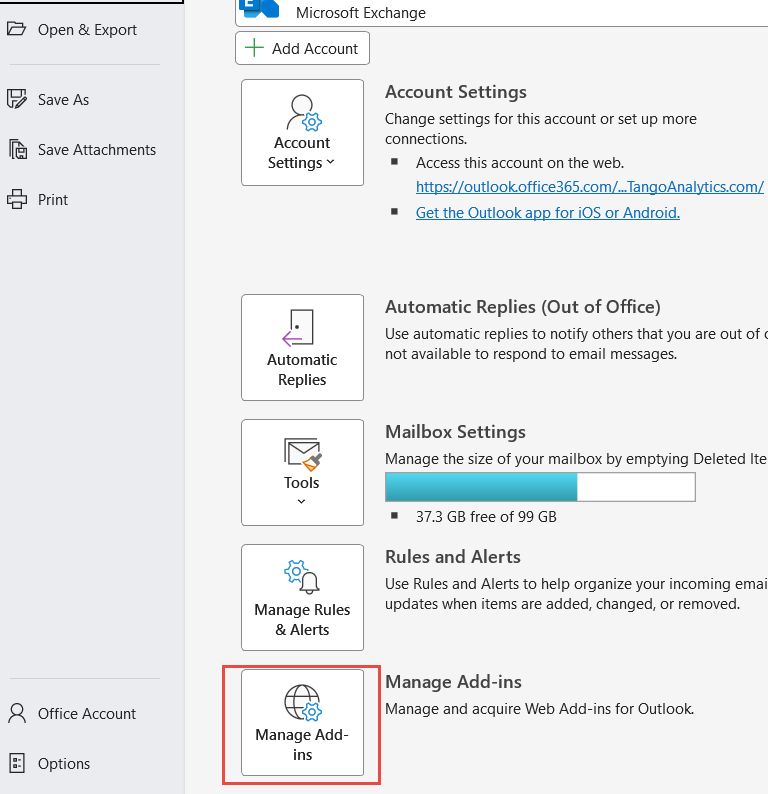
- From the ribbon, click File
- Navigate to Manage Add-Ins and click
- Outlook Web will open up in a browser.
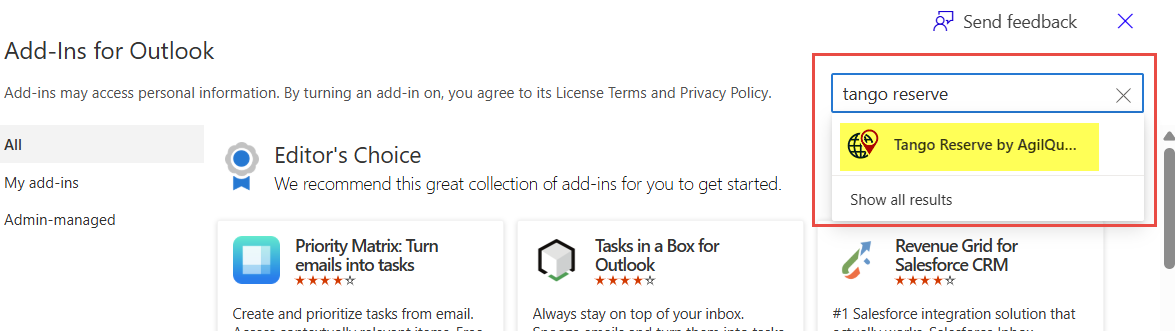
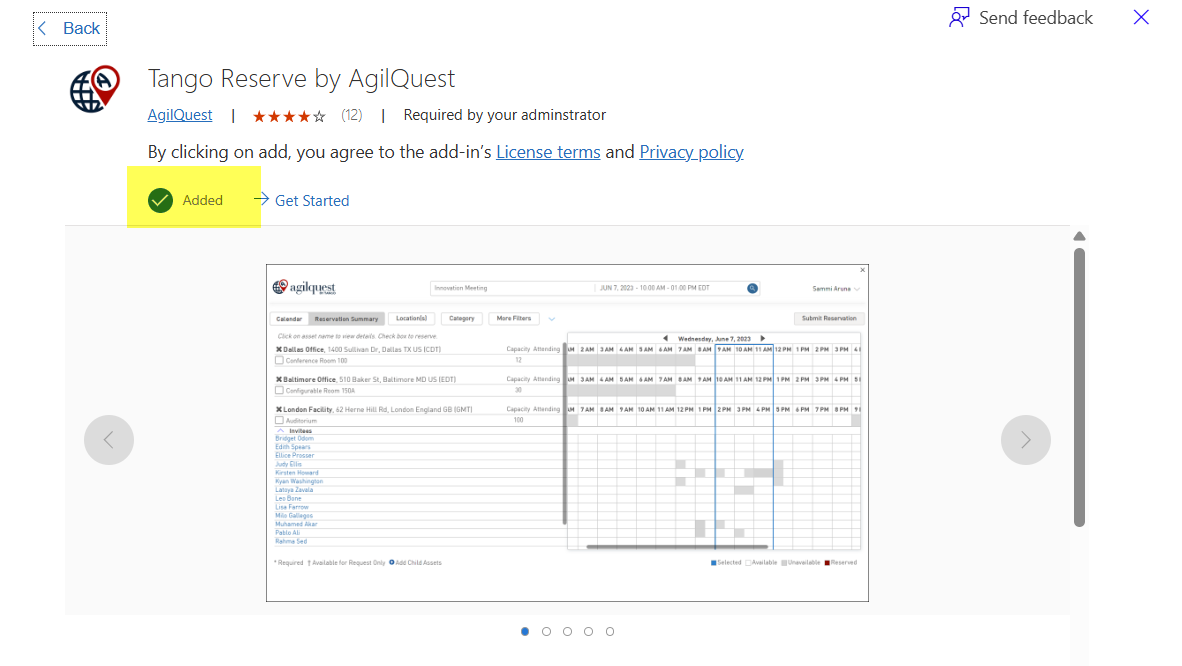
- In the search field, enter “Tango Reserve by AgilQuest”. Click add.
- Complete the Install
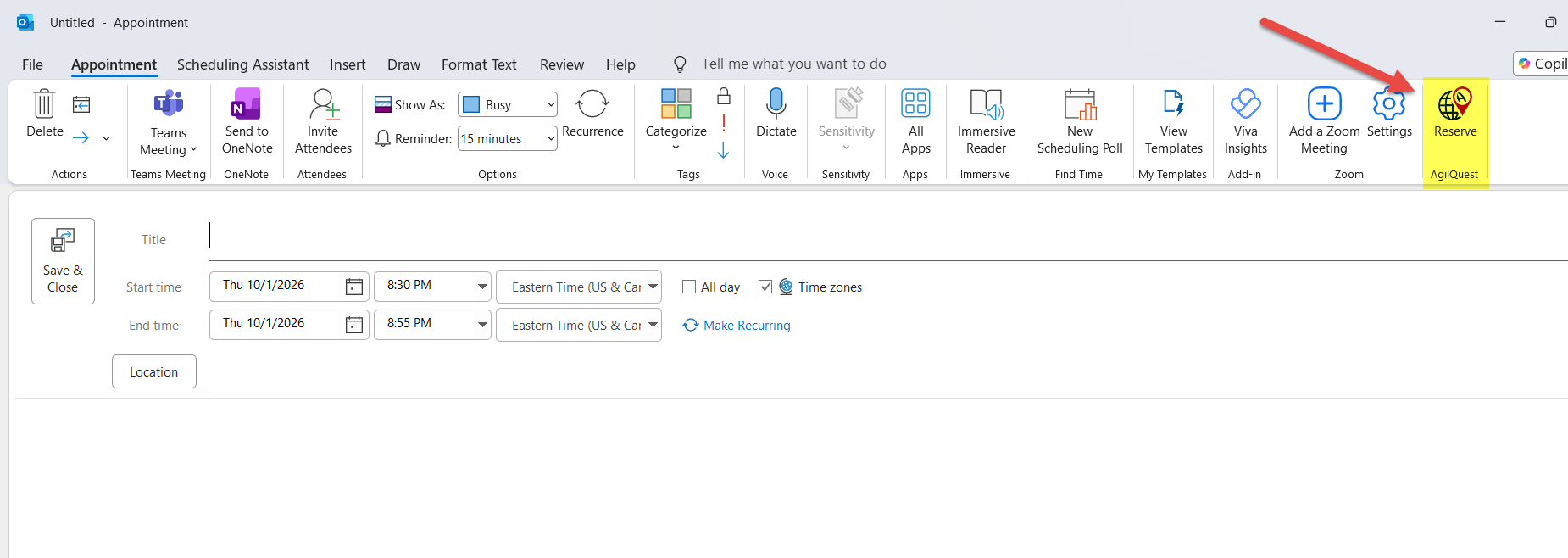
The Reserve Add-in will appear in your calendar ribbon
If more assistance is needed you may have to contact your IT team to assist with download as you may not have the rights to manage or install the add-in.
Was this article helpful?
That’s Great!
Thank you for your feedback
Sorry! We couldn't be helpful
Thank you for your feedback
Feedback sent
We appreciate your effort and will try to fix the article