Competitors

Modified on Mon, 9 Mar at 6:22 AM

COMPETITORS

This tile is used to view a tabular list of all competitors.

If Chain XY is enabled, use this section with caution. Changing competitor information may duplicate existing data, providing undesirable results.

Step

Action

1.

Click Competitors in the Function Dashboard.

2.

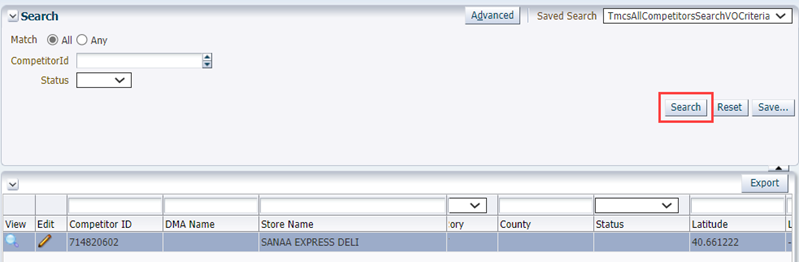
Click Search, then locate and click to highlight the row.

Step

Action

3.

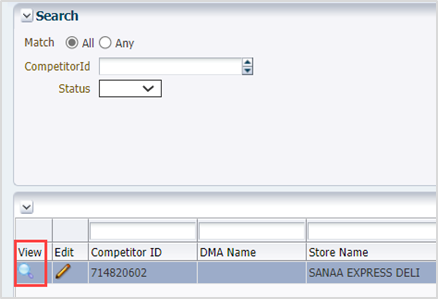
Click the magnifying glass.

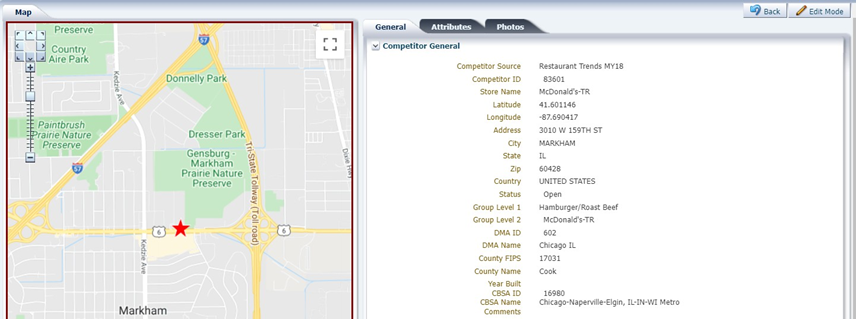
A new window opens with a map and competitor details.

4.

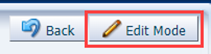
Click Edit Mode to edit competitor details.

5.

Click on each tab and modify fields, as applicable, and click Save.

6.

Click View Mode and Leave on the Leave site? pop-up.

IMPORTANT: Ensure the changes were saved prior to clicking Leave.

Was this article helpful?

That’s Great!

Thank you for your feedback

Sorry! We couldn't be helpful

Thank you for your feedback

Let us know how can we improve this article!

Select at least one of the reasons
CAPTCHA verification is required.

Feedback sent

We appreciate your effort and will try to fix the article